Introduction
Have you ever wondered how twitter.com redirects to x.com? We can inspect the process directly through a browser's network console.

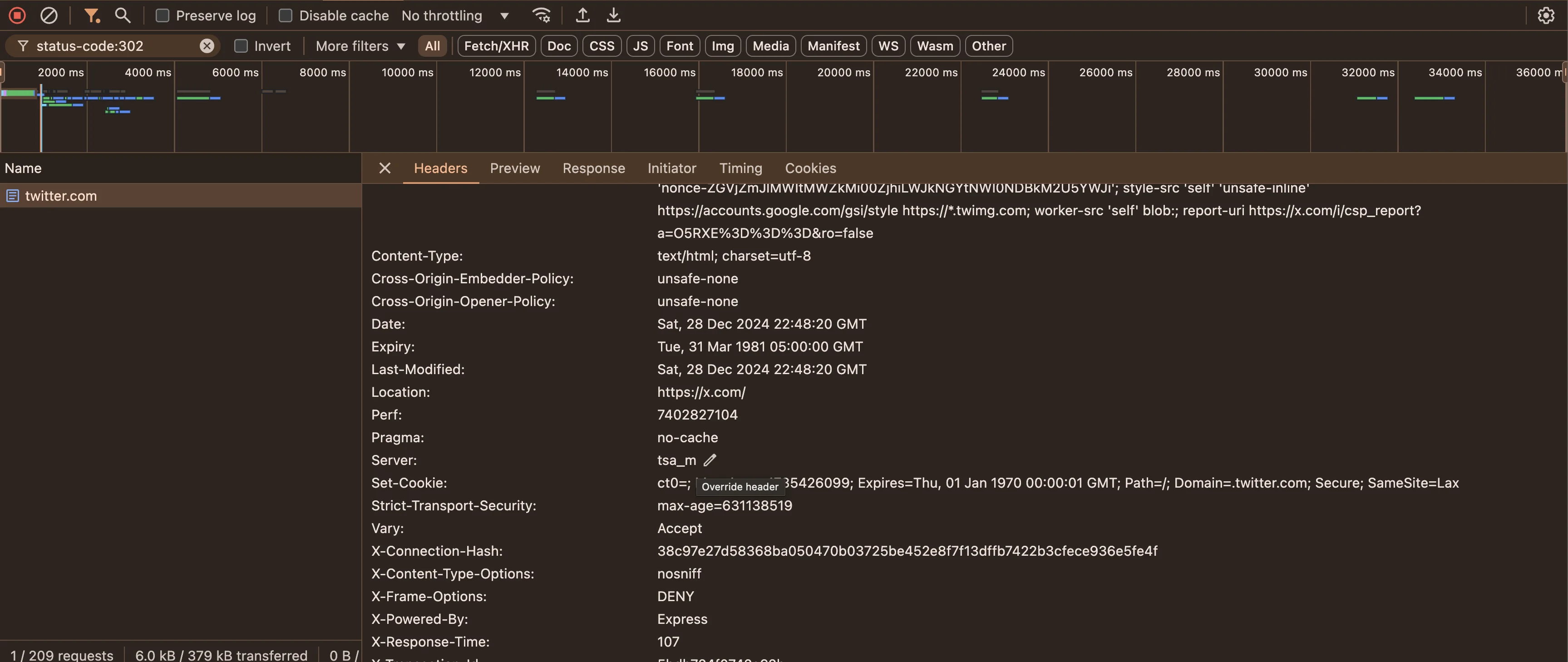
When you visit twitter.com, the server responds with a 302 status code and a new location. The browser follows that location and requests x.com. This is URL forwarding through an HTTP redirect.
What is URL forwarding?
URL forwarding redirects a request from one address to another. The original server communicates the destination through an HTTP response rather than serving the final content itself.
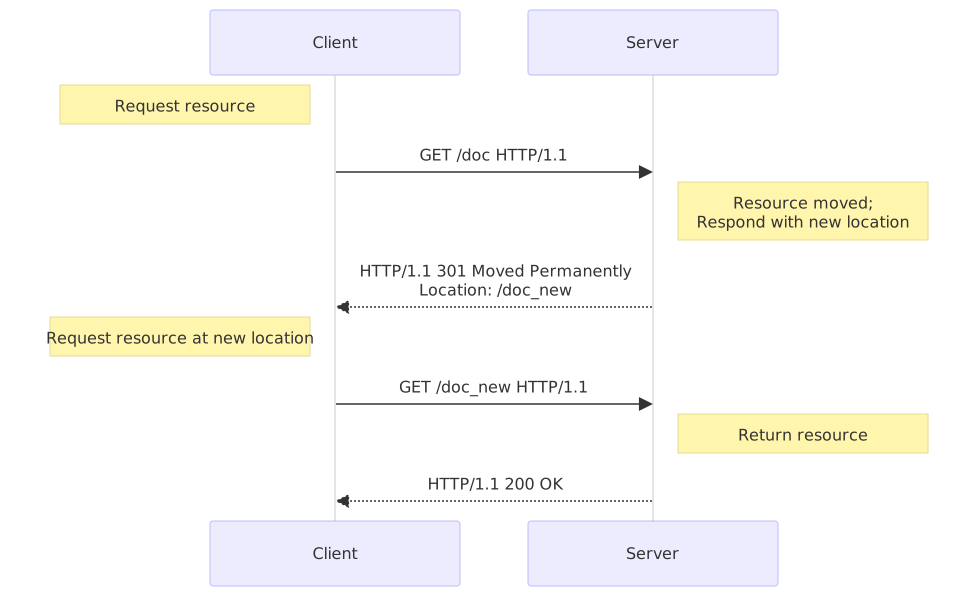
MDN provides a broader reference on HTTP redirections and their semantics.
Temporary forwarding
A temporary redirect tells clients that the resource currently lives elsewhere, while the original URL may remain canonical. HTTP 302 is commonly encountered here, while 307 preserves the original request method more explicitly.
Permanent forwarding
A permanent redirect communicates that the resource has moved for the long term. HTTP 301 and 308 are common choices. Permanent redirects help browsers, search engines, and existing bookmarks converge on the new address.
A practical use
I encountered URL forwarding while configuring a short personal subdomain to redirect visitors to a social profile. The same mechanism is useful during domain migrations, route changes, and canonicalization.
Registrar and DNS-provider options
Conclusion
Redirects are a small but important part of web infrastructure. Choosing the appropriate temporary or permanent status preserves client behavior, search relevance, and user expectations as URLs evolve.